

 MagyarHungarian
 EnglishEnglish
HelloPack CLI commands
Manage your licence, plugins and themes from the command line with WP-CLI.
What is WP-CLI?
Section titled “What is WP-CLI?”WP-CLI is the command-line interface for WordPress. Whatever you would normally do in the admin area, you can do from the command line: install, update, configure and maintain your site. It runs on Windows, macOS and Linux.
HelloPack CLI commands
Section titled “HelloPack CLI commands”The plugin adds three groups of commands:
wp hellopack licensewp hellopack pluginwp hellopack themeFirst: is the package manager working?
Section titled “First: is the package manager working?”Before running commands, run the built-in tester. In the dashboard’s left sidebar click HelloPack, then Help in the top-right corner. If everything is fine, you will see this:
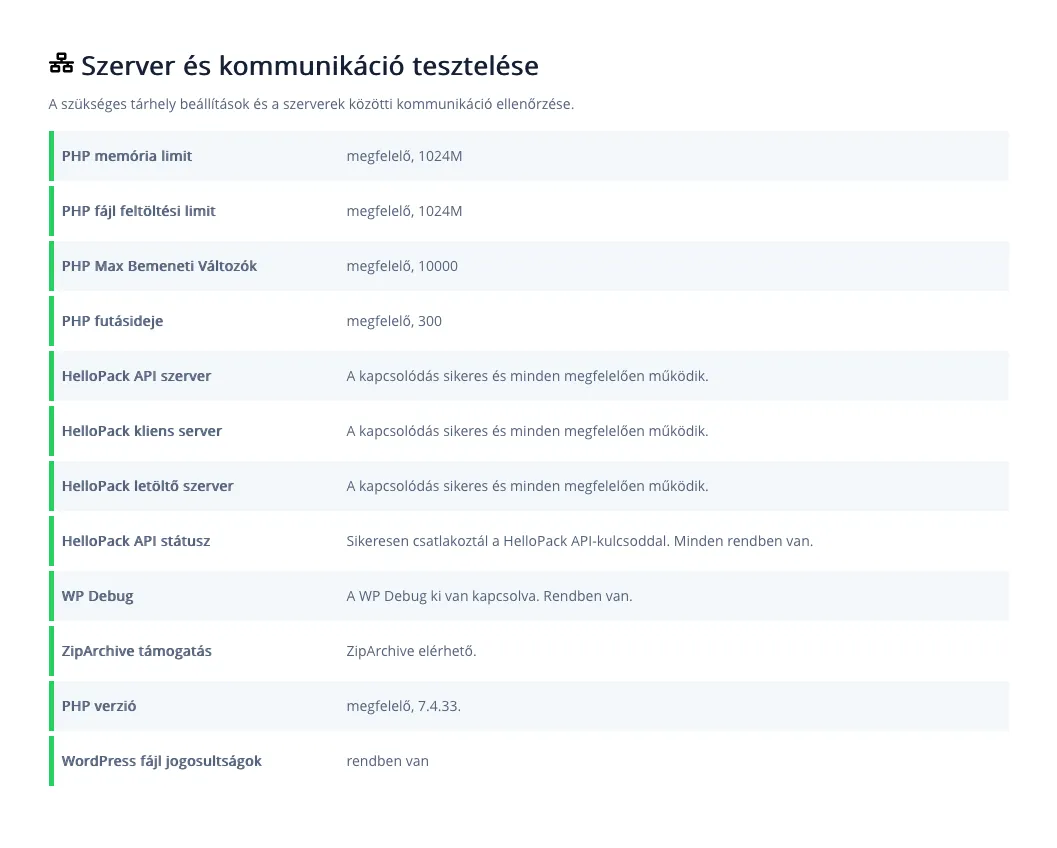
1 If this row says you connected successfully with your HelloPack API key, the licence is active and the commands will work.
Managing your licence
Section titled “Managing your licence”Activate a licence
Section titled “Activate a licence”Activates your HelloPack licence with the given key.
<license-key>Your HelloPack licence key.
wp hellopack license activate <license-key>The licence key is your HelloPack API key. Create it in the HelloWP Console: in the left menu, under HelloPack, open the API key generator:
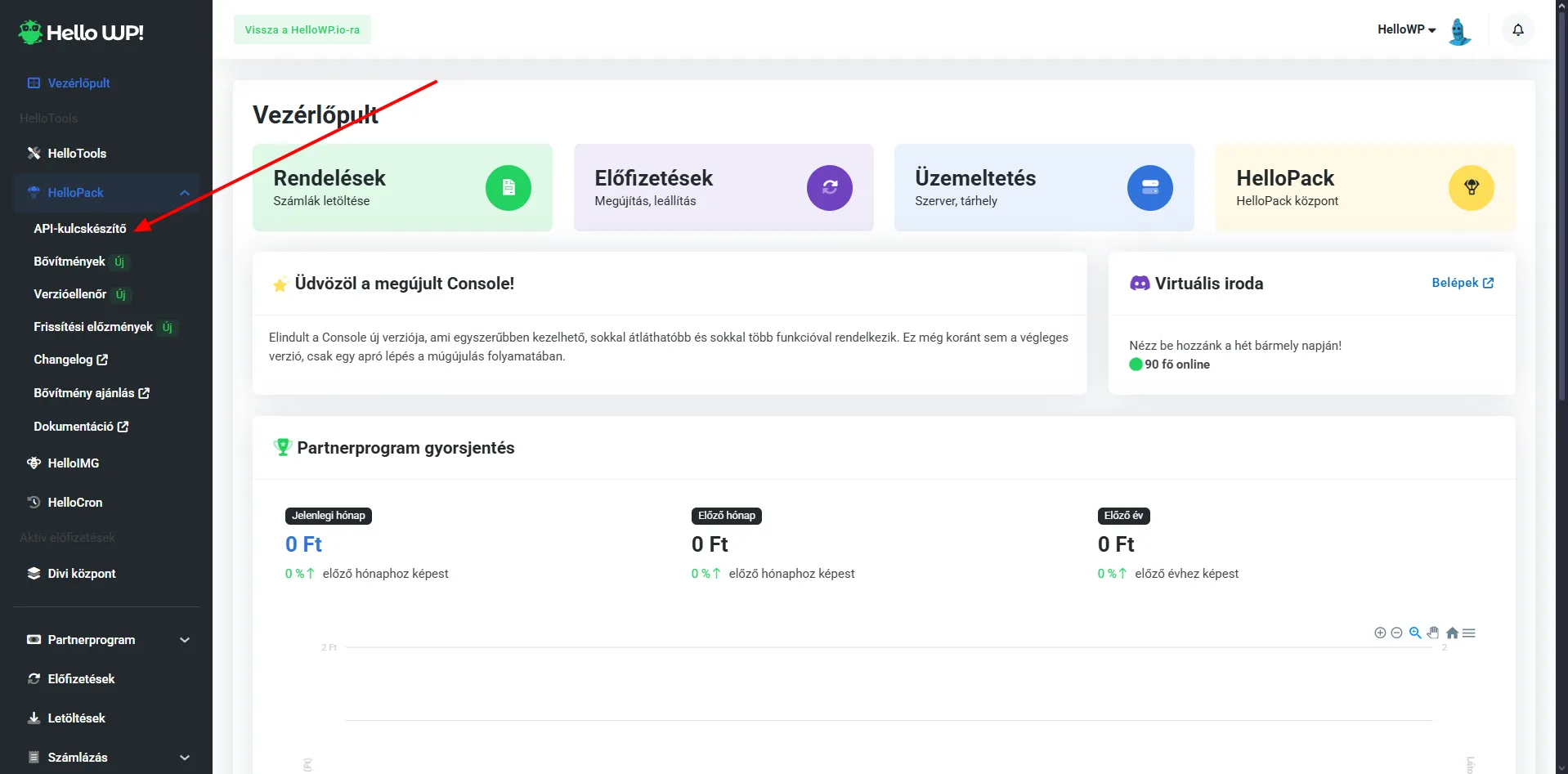
The HelloWP Console dashboard. The arrow points to the API key generator.
Deactivate a licence
Section titled “Deactivate a licence”Removes the key from your website and from the hellowp.io server.
wp hellopack license deactivateLicence status
Section titled “Licence status”wp hellopack license statusManaging plugins
Section titled “Managing plugins”List available plugins
Section titled “List available plugins”Lists every plugin you can install with HelloPack. JSON output is available too.
wp hellopack plugin listwp hellopack plugin list --format=jsonInstall a plugin
Section titled “Install a plugin”<slug|id>The plugin's slug or ID.--activateOptional. Activates the plugin after installing it.
wp hellopack plugin install elementor-proUpdate a plugin
Section titled “Update a plugin”wp hellopack plugin update elementor-proManaging themes
Section titled “Managing themes”List available themes
Section titled “List available themes”wp hellopack theme listwp hellopack theme list --format=jsonInstall a theme
Section titled “Install a theme”wp hellopack theme install brickswp hellopack theme install 123 --activateUpdate a theme
Section titled “Update a theme”wp hellopack theme update bricksSet up a new site in one go
Section titled “Set up a new site in one go”The commands above, one after another: licence, plugin, theme, then a check.
# 1. Activate the licencewp hellopack license activate <license-key># 2. Install and activate a pluginwp hellopack plugin install elementor-pro --activate# 3. Install and activate a themewp hellopack theme install bricks --activate# 4. Checkwp hellopack license statuswp hellopack plugin list --format=jsonHelp on the command line
Section titled “Help on the command line”Lists every HelloPack command and subcommand.
wp hellopack --helpwp hellopack license --helpwp hellopack plugin --helpwp hellopack theme --help